> ## Documentation Index
> Fetch the complete documentation index at: https://bytebeam.io/docs/llms.txt
> Use this file to discover all available pages before exploring further.
# Deactivating a Firmware File version
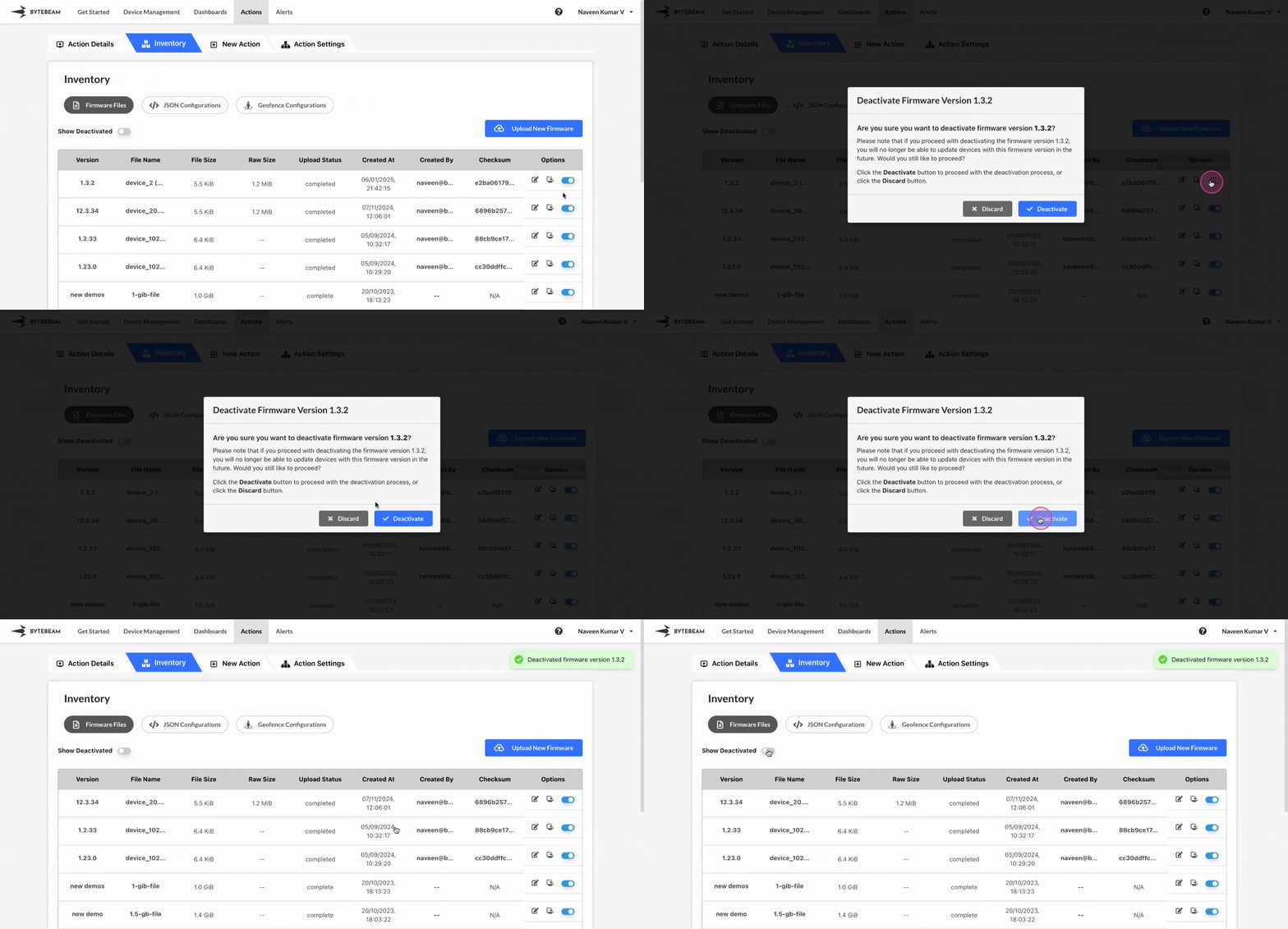
To deactivate a Firmware File version in Bytebeam console,
Click on the **Actions** tab
Navigate to the **Firmware Files** tab by clicking on Inventory section
Click on **Firmware Files** tab and locate the desired **Firmware File version**
Click on the active toggle against the located version and click on **Deactivate** button.
You can activate the deactivated firmware file versions with the [following instructions](/platform-guide/actions/inventory-management/firmware-files/without-device-components/activating-a-deactivated-firmware-version)