> ## Documentation Index
> Fetch the complete documentation index at: https://bytebeam.io/docs/llms.txt
> Use this file to discover all available pages before exploring further.
# Create an API Key
API keys enable you to connect our platform directly to your systems, streamlining data flow and automation.
You can generate multiple API keys per project, each associated with a specific role. The assigned role defines the actions and permissions of each API key, allowing you to manage access securely and with precision.
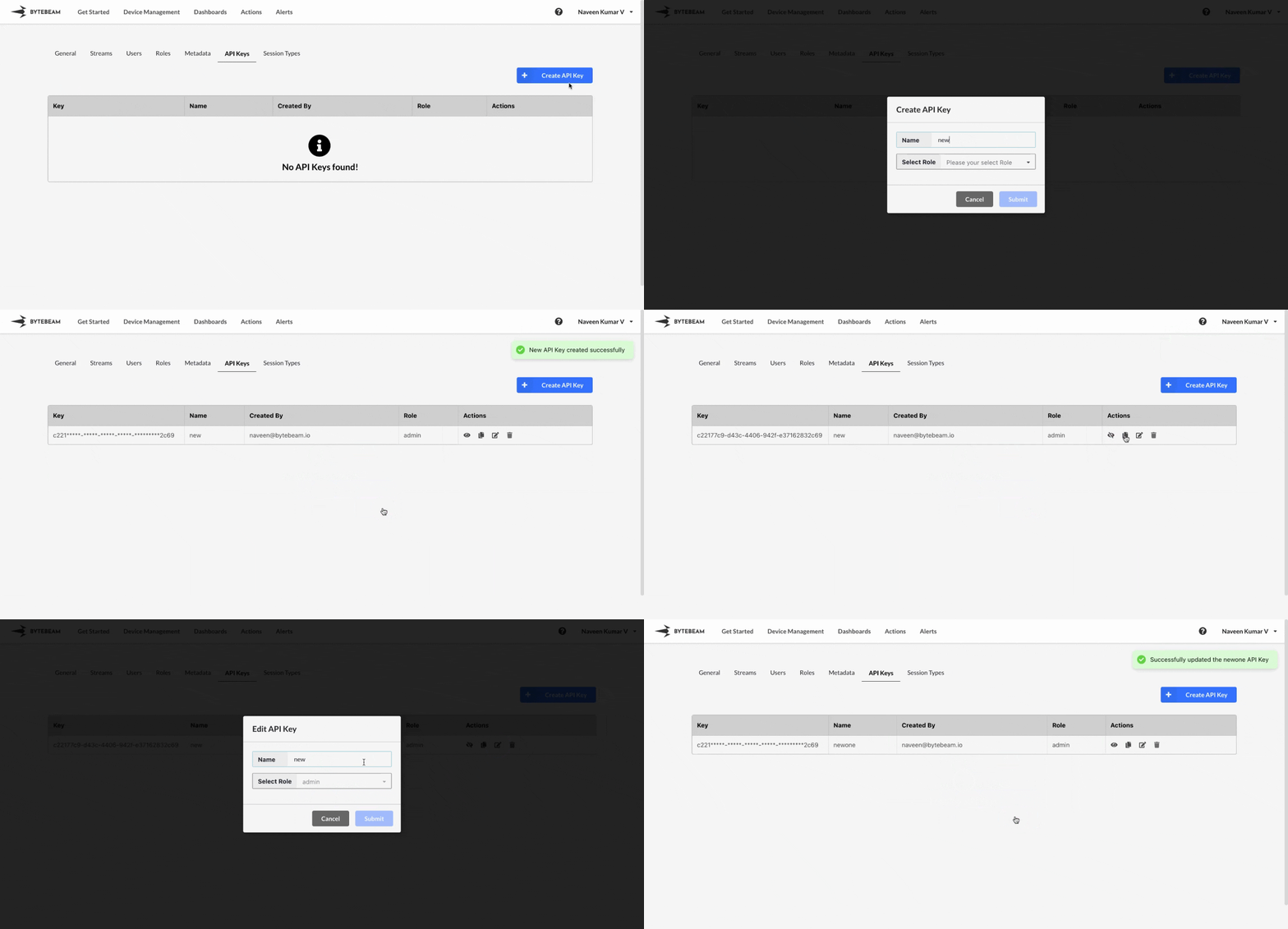
To create an API key in Bytebeam console,
Navigate to **Settings** by clicking your username at the top right.
Navigate to the **API Keys** Tab and click on the **Create API Key** button
Enter a name, select a role from the dropdown, and click **Submit** in the modal to create the API Key.
## Important Notes
To view, copy, or edit the API Key, simply click on the respective icons located next to the API Key.
You can only change the name of the API Key while editing it