> ## Documentation Index
> Fetch the complete documentation index at: https://bytebeam.io/docs/llms.txt
> Use this file to discover all available pages before exploring further.
# Deactivate an API Key
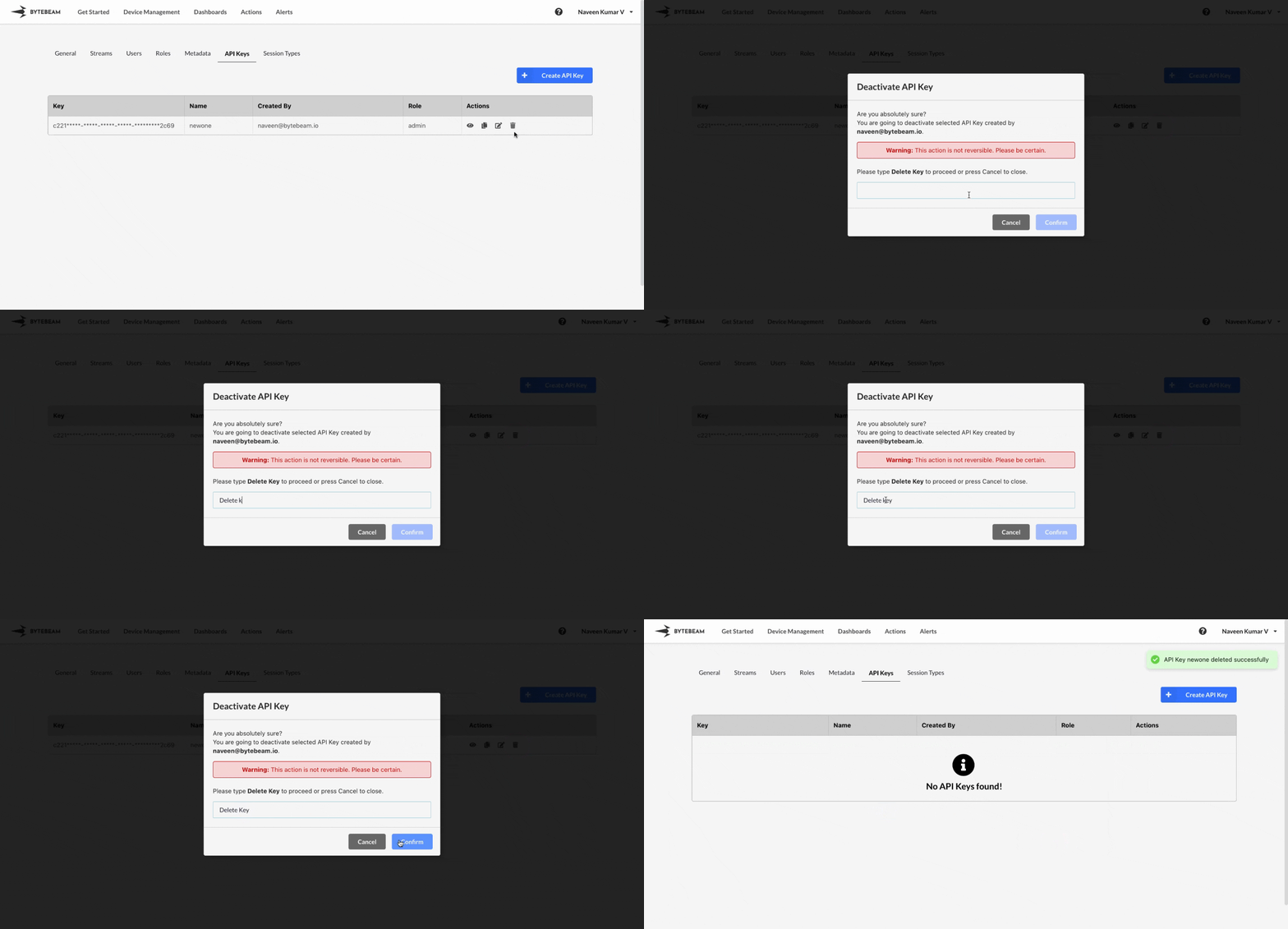
To deactivate an API Key in Bytebeam Console,
Navigate to **Settings** by clicking your username at the top right.
Navigate to the **API Keys** Tab and click on the delete icon against the desired API Key
Type "Delete Key" in the field, and Click on **Confirm** to delete the API Key.
As this action is irreversible, please be certain that you have chosen the right key to deactivate.