> ## Documentation Index
> Fetch the complete documentation index at: https://bytebeam.io/docs/llms.txt
> Use this file to discover all available pages before exploring further.
# View Parsed DBC
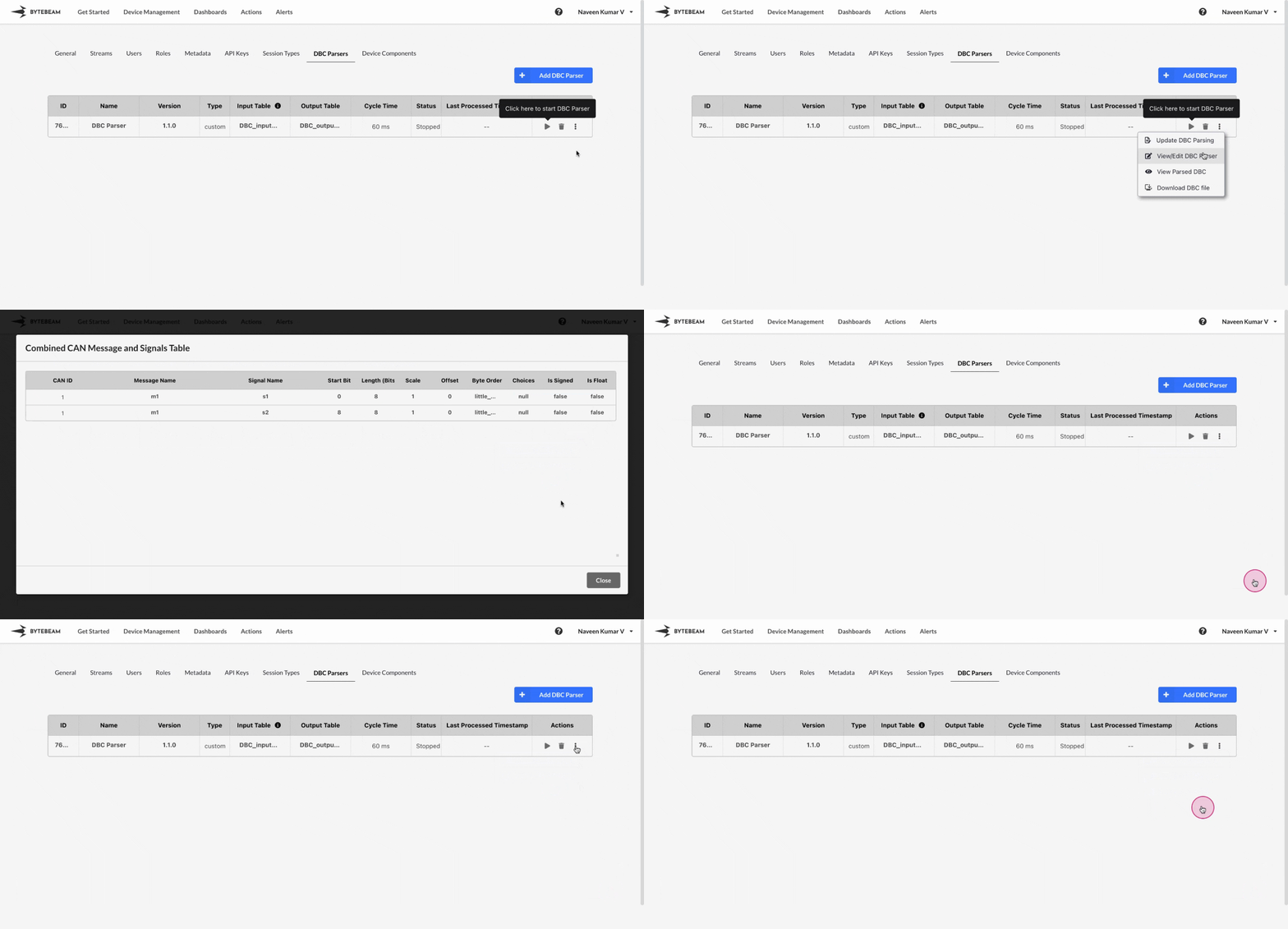
To view the parsed DBC in Bytebeam console,
Navigate to the **Settings Tab** by clicking on your username at the top right
Navigate to the **DBC Parsers** tab, click on the 3 dots against the DBC parser and click on View Parsed DBC option to see the parsed data in tabular format.
Similarly you can download the custom DBC file following the below steps:
Navigate to the **Settings Tab** by clicking on your username at the top right
Navigate to the **DBC Parsers** tab, click on the 3 dots against the DBC parser and click on Download DBC File option.