> ## Documentation Index
> Fetch the complete documentation index at: https://bytebeam.io/docs/llms.txt
> Use this file to discover all available pages before exploring further.
# Creating a Role
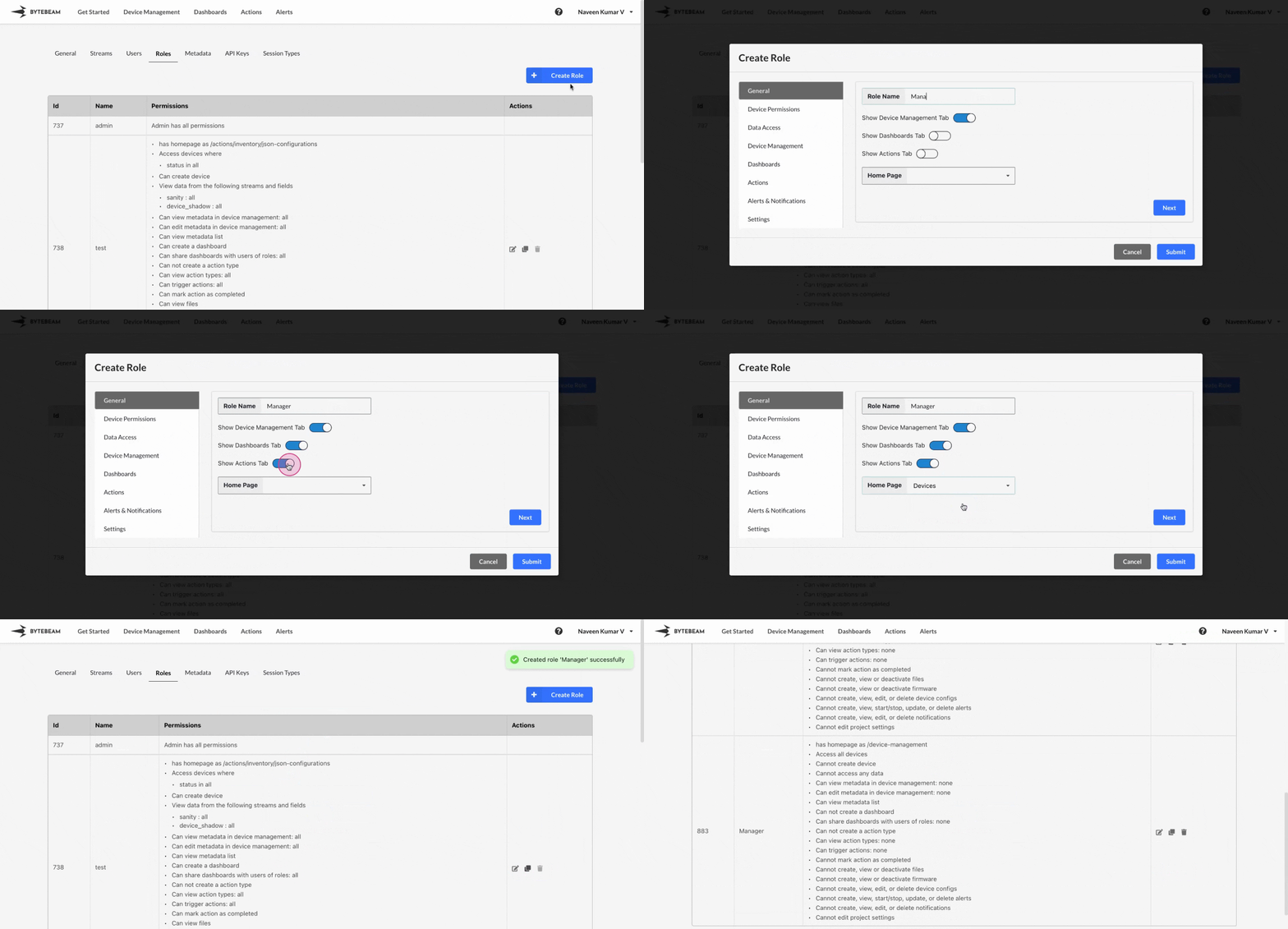
To create a Role in Bytebeam console,
Navigate to the **Settings Tab** by clicking on your username at the top right
Navigate to the **Roles** tab and click on the **Create Role** button
Select the details from the [Tabs](/platform-guide/roles/roles-sections) and click on **Submit** button to create the role.
You can also create a new role by cloning the existing role. Just click on **clone** icon against the existing role.