> ## Documentation Index
> Fetch the complete documentation index at: https://bytebeam.io/docs/llms.txt
> Use this file to discover all available pages before exploring further.
# Delete field(s) in Stream
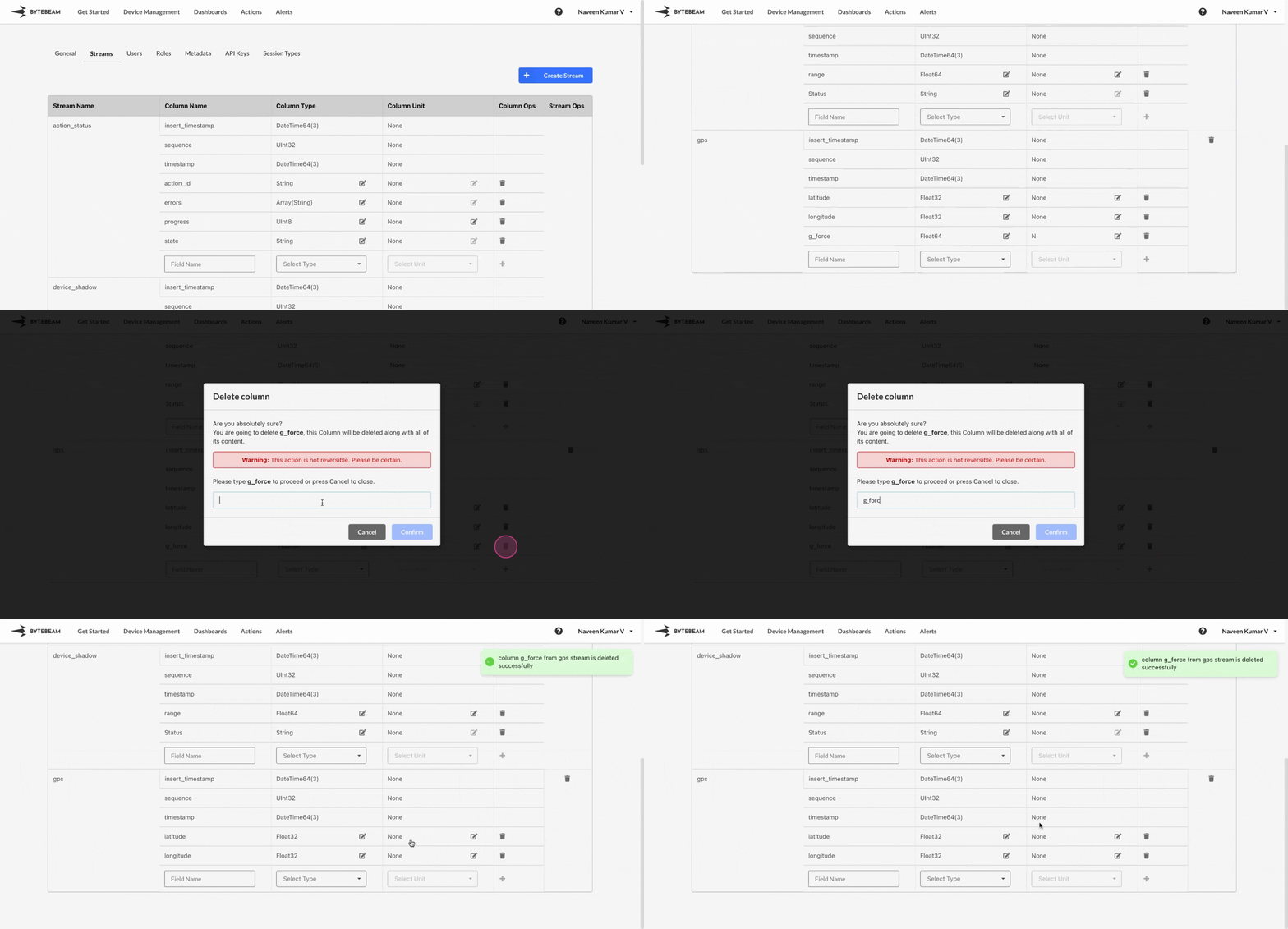
To delete a field in an existing stream in Bytebeam console,
Navigate to the **Settings** Tab by clicking on your username at the top right
Go to **Streams** tab and scroll to the **Stream** and the field which needs to be deleted
Click on the **Trash** (🗑) icon against the field you would like to delete
Type field name in the field, and Click on **Confirm** to delete the field.
This action is not reversible. Deleting a field in a Stream will result in data loss. Please be sure of the field selected for deletion