> ## Documentation Index
> Fetch the complete documentation index at: https://bytebeam.io/docs/llms.txt
> Use this file to discover all available pages before exploring further.
# R12 21-July-2023
> Product Update by 21 Jul 2023, Enhancement in device pulse panel, Color coding in Logs panel and other changes
### **Device Pulse panel enhancements**
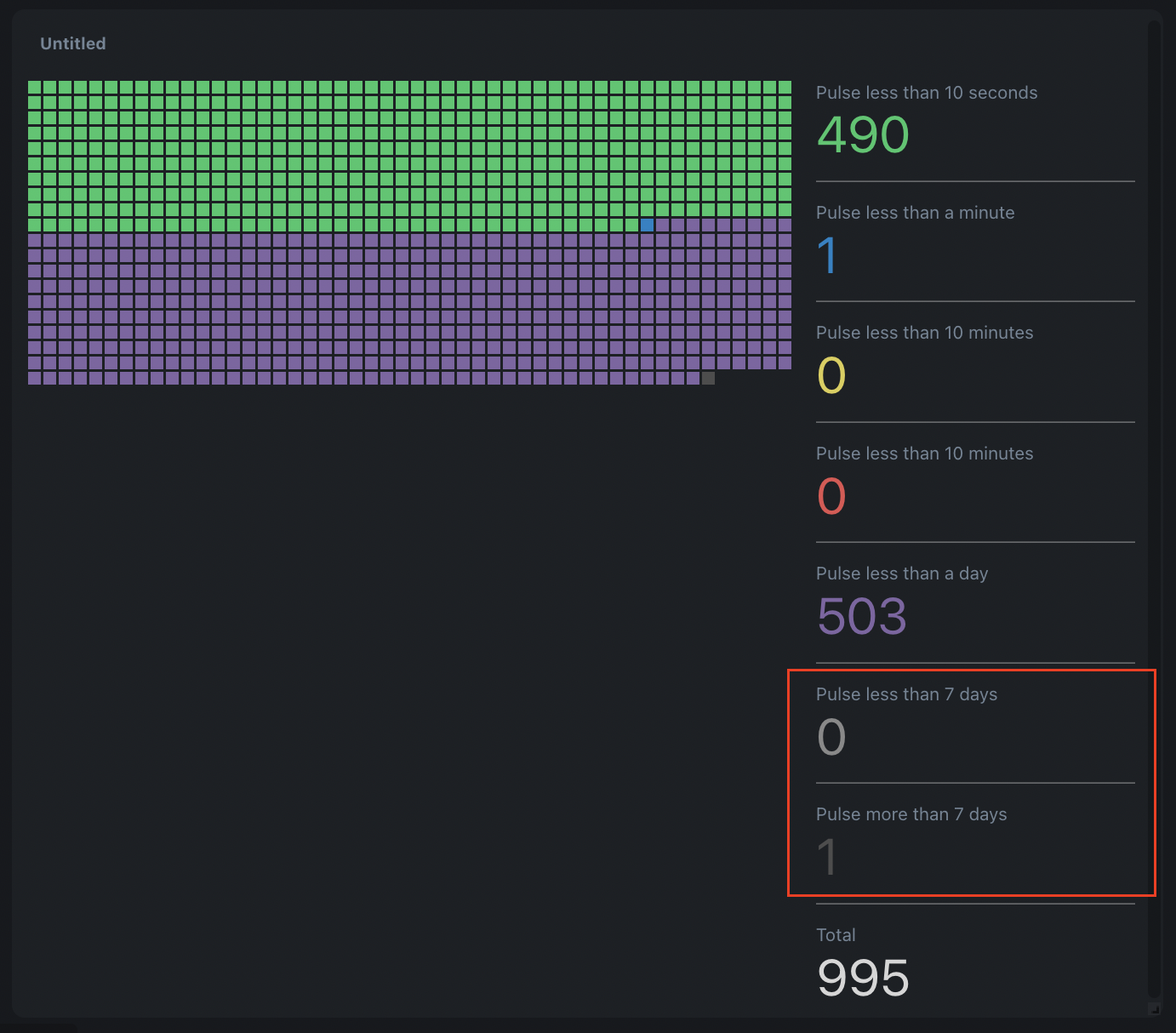
Device pulse panel now includes the pulse of all devices, regardless of whether they fall within the specified thresholds. It shows the pulse starting from the last threshold up to the selected time range, and also displays pulse measurements beyond that time range as separate data. In addition, it indicates the total number of devices that have been selected by the applied filters.
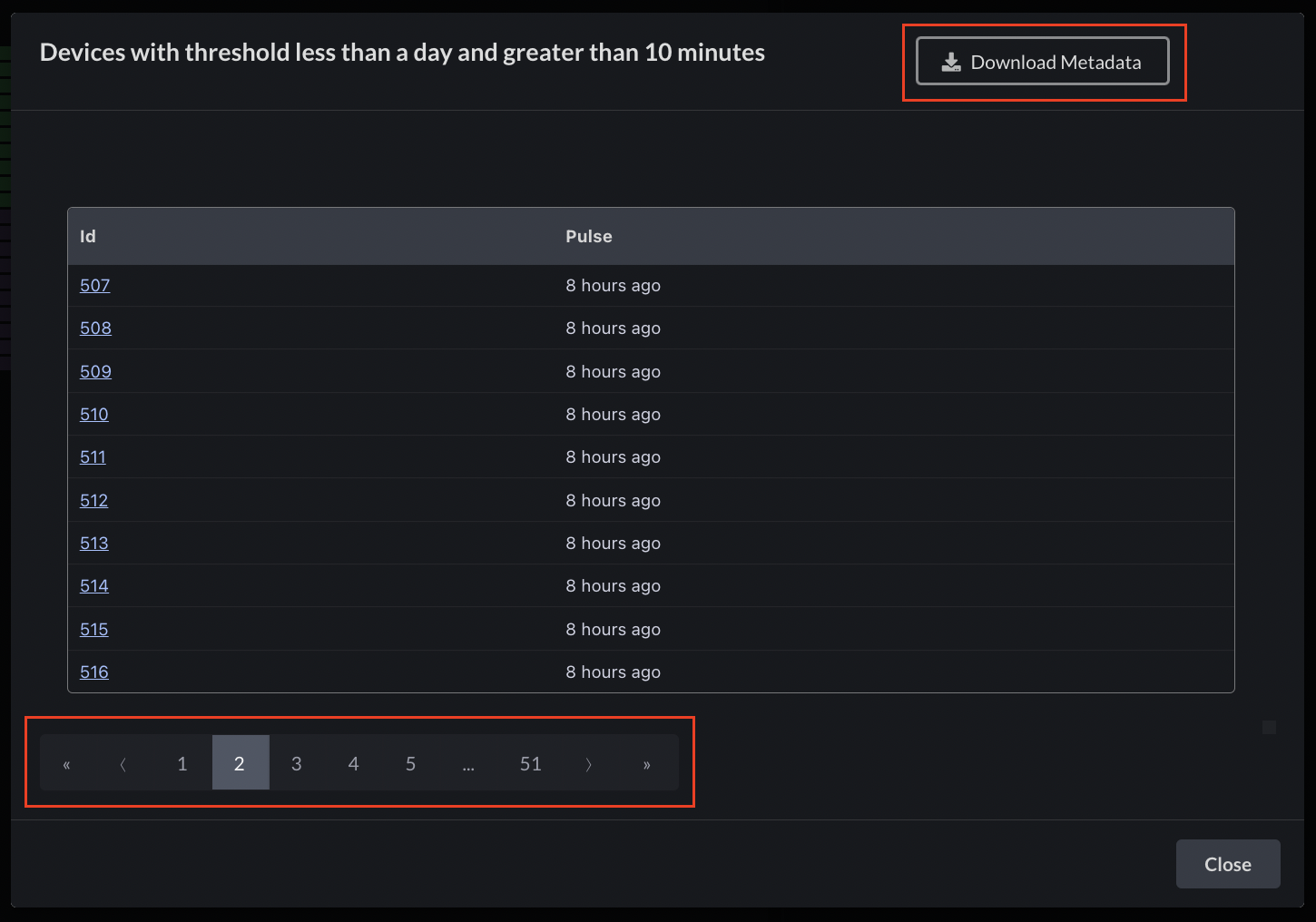
 Now, when viewing the list of devices for a specific threshold, the device list is paginated, allowing for easier navigation. Furthermore, you have the option to download the metadata of the devices listed.
 ### **Color encoding in the logs panel**
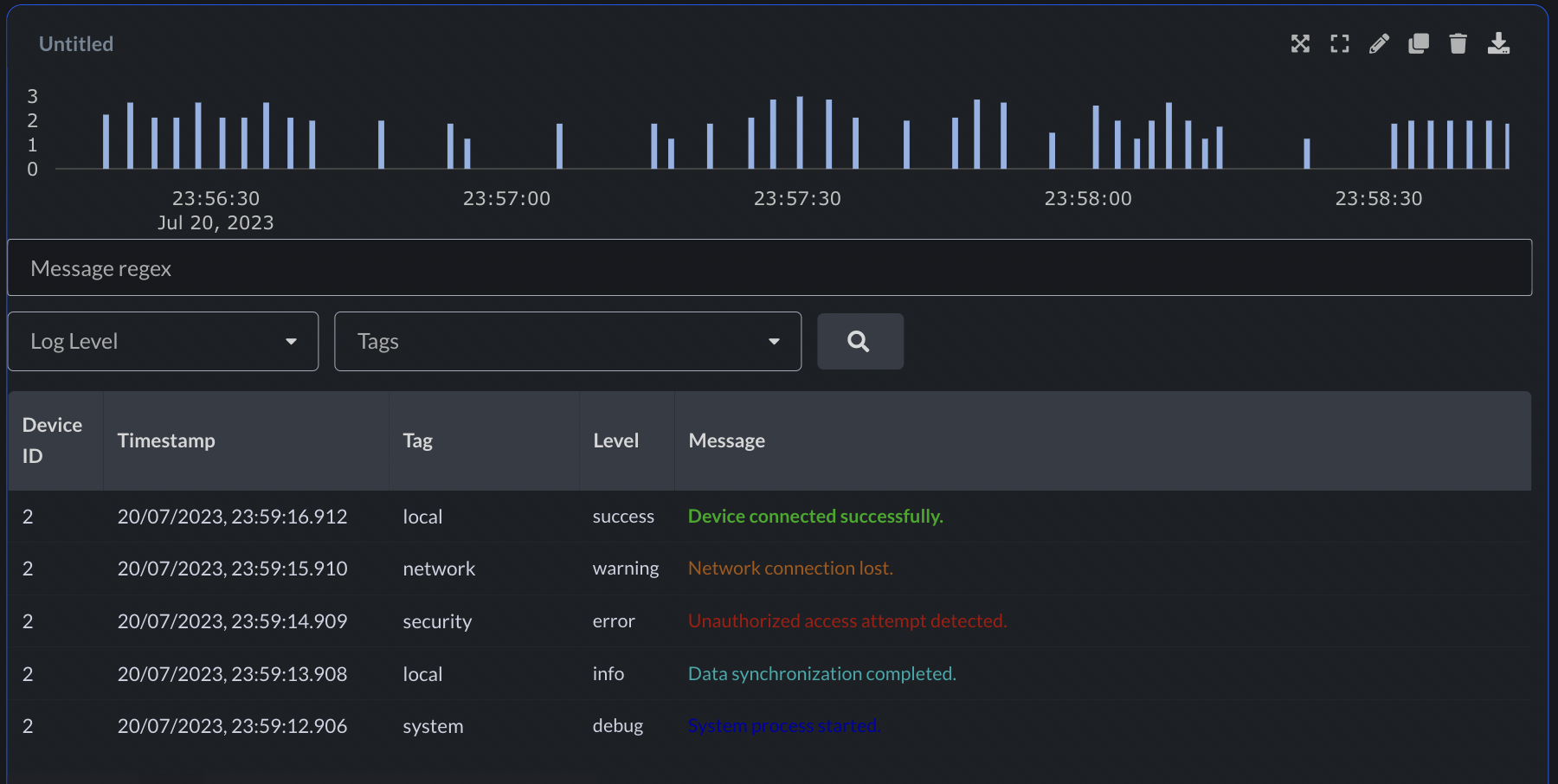
Introducing ANSI escape code color encoding in the logs panel, enhancing visualization and improving log analysis.
### **Color encoding in the logs panel**
Introducing ANSI escape code color encoding in the logs panel, enhancing visualization and improving log analysis.
 ### **Download metadata of filtered devices**
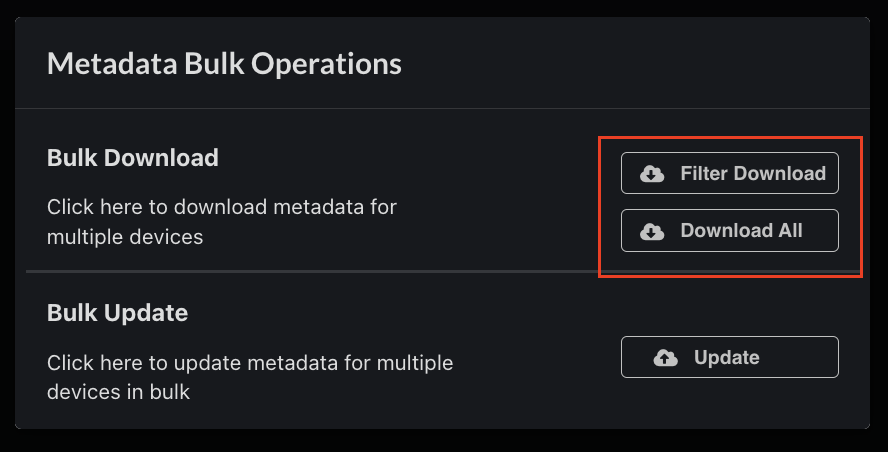
After applying any filter in device management, you now have the option to download the metadata of the filtered devices, as well as the metadata of all devices.
### **Download metadata of filtered devices**
After applying any filter in device management, you now have the option to download the metadata of the filtered devices, as well as the metadata of all devices.
 ### **Led Panel enhancements**
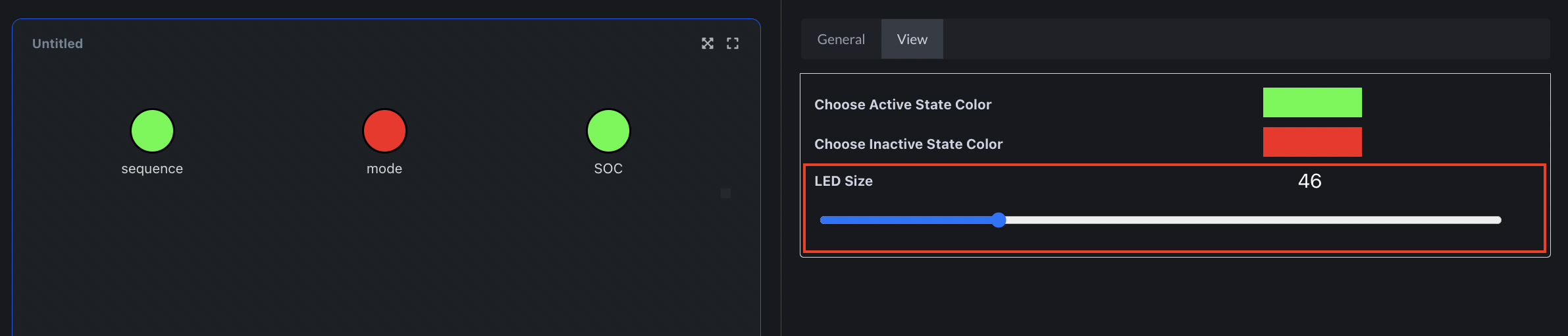
The LED panel now offers the flexibility to choose the size of the LED circles. Additionally, they are presented in a visually appealing grid layout, departing from the previous table layout.
### **Led Panel enhancements**
The LED panel now offers the flexibility to choose the size of the LED circles. Additionally, they are presented in a visually appealing grid layout, departing from the previous table layout.
 ### **Customize point marker size in Line Chart panel**
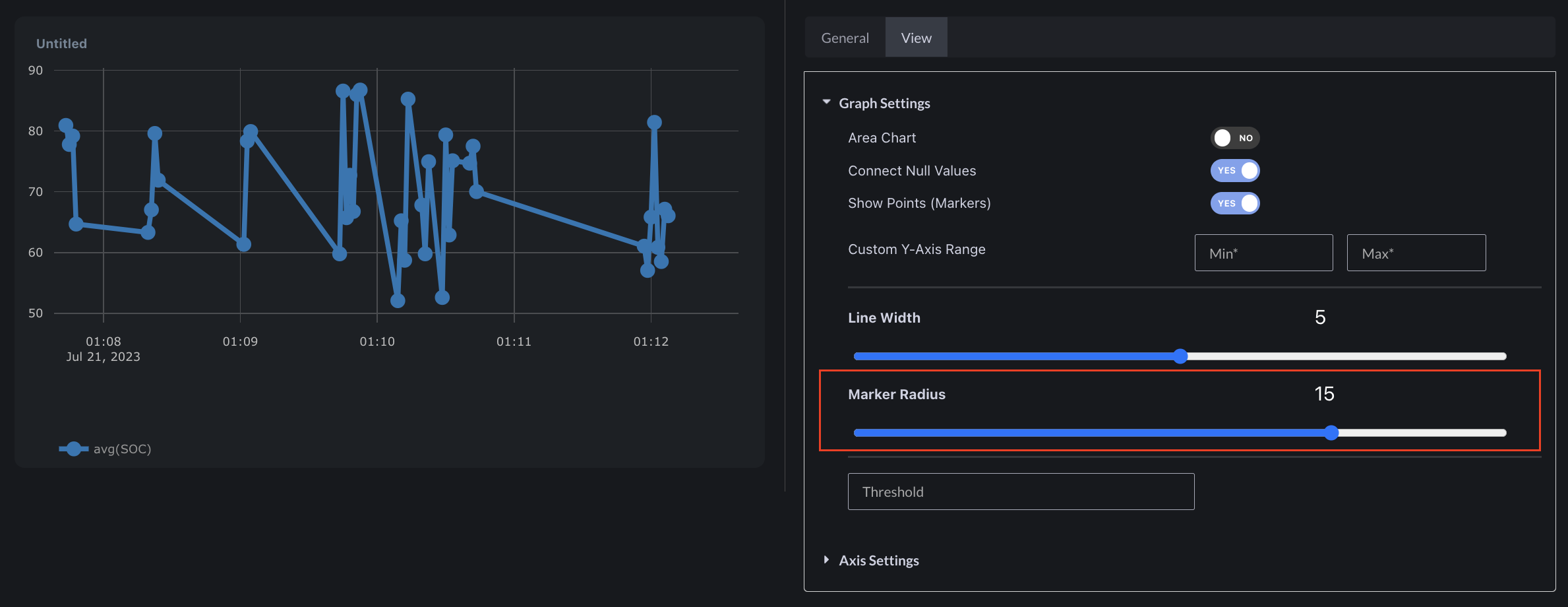
Customize the visual style of line charts by configuring the point marker size
### **Customize point marker size in Line Chart panel**
Customize the visual style of line charts by configuring the point marker size
 ### Bug fixes & Minor changes
* Convenient "Click to Copy" functionality now available for metadata keys, values, and device\_shadow values in the device management page
* Mandatory fields in each panel are now highlighted in red if validation fails
* Micro animation added when uploading files
* Creating a new action now retains already entered values upon clicking back
* Numerous bug fixes and validations enhancing overall stability
### Bug fixes & Minor changes
* Convenient "Click to Copy" functionality now available for metadata keys, values, and device\_shadow values in the device management page
* Mandatory fields in each panel are now highlighted in red if validation fails
* Micro animation added when uploading files
* Creating a new action now retains already entered values upon clicking back
* Numerous bug fixes and validations enhancing overall stability