> ## Documentation Index
> Fetch the complete documentation index at: https://bytebeam.io/docs/llms.txt
> Use this file to discover all available pages before exploring further.
# R16 27-Dec-2023
### **Alerts System**
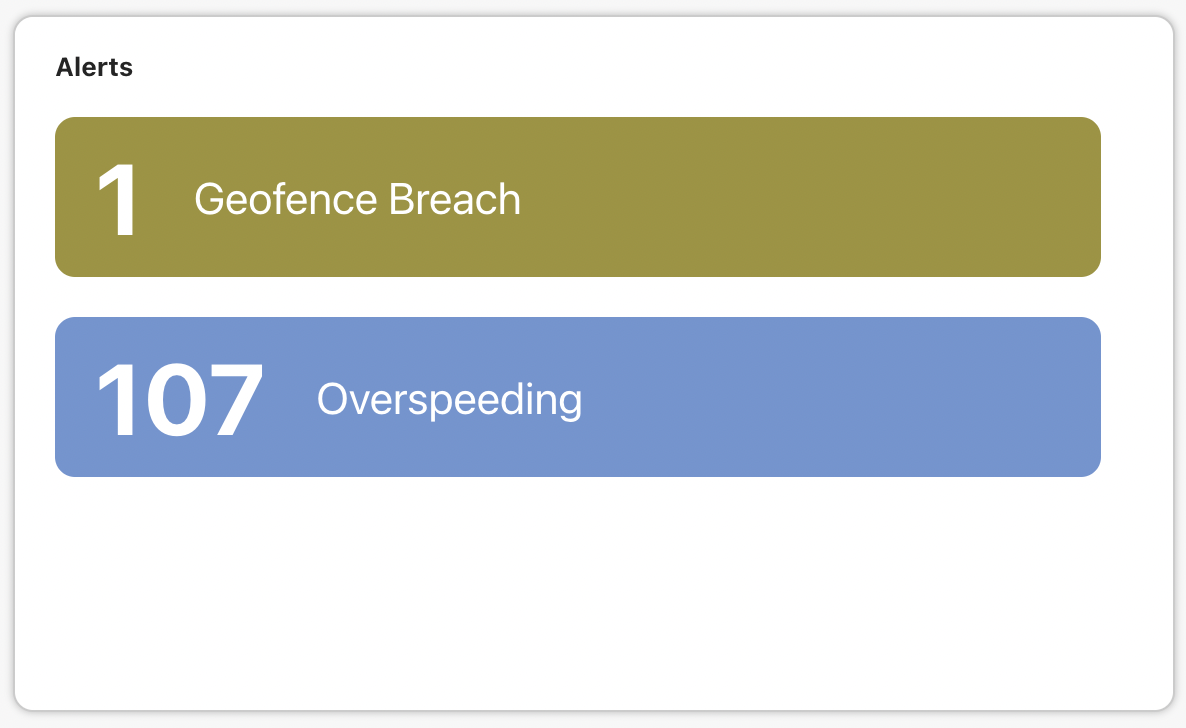 The platform now features an advanced alert system, designed to efficiently notify users of specific data-related conditions on their devices. These alerts facilitate monitoring and timely responses, and are integrated into the dashboard via the "Alerts" panel. This feature provides users with a rapid, comprehensive view of their device's status, ensuring they are always informed about critical data points.
### a. Alert Rules
The platform now features an advanced alert system, designed to efficiently notify users of specific data-related conditions on their devices. These alerts facilitate monitoring and timely responses, and are integrated into the dashboard via the "Alerts" panel. This feature provides users with a rapid, comprehensive view of their device's status, ensuring they are always informed about critical data points.
### a. Alert Rules
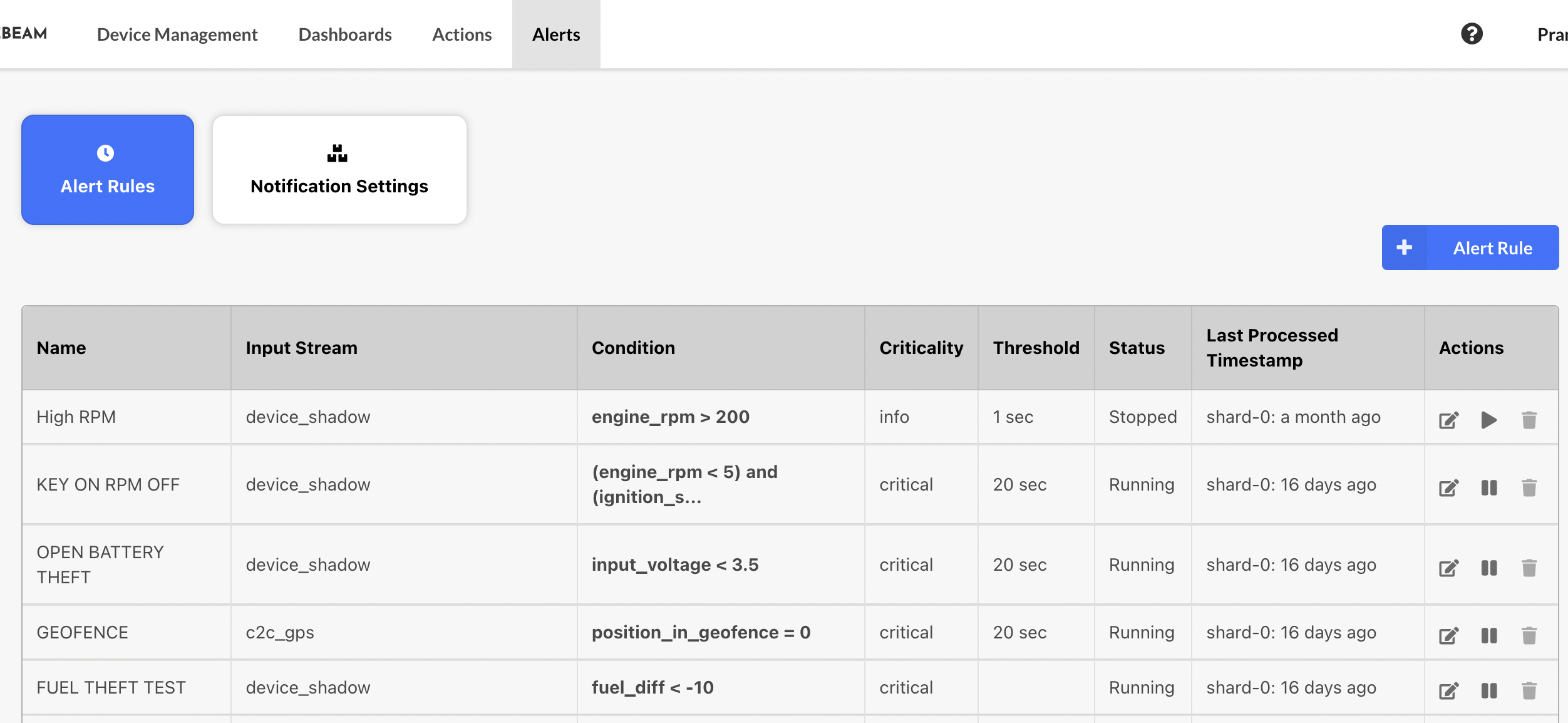 There can be two types of Alerts:
1. **No Signal Alert:** This alert is triggered when there's an interruption in the data stream from a device for a specified duration.
2. **Signal-based Alert:** This alert type is triggered based on specific conditions set on the data points received from the device.
### b. Alert Notifications
There can be two types of Alerts:
1. **No Signal Alert:** This alert is triggered when there's an interruption in the data stream from a device for a specified duration.
2. **Signal-based Alert:** This alert type is triggered based on specific conditions set on the data points received from the device.
### b. Alert Notifications
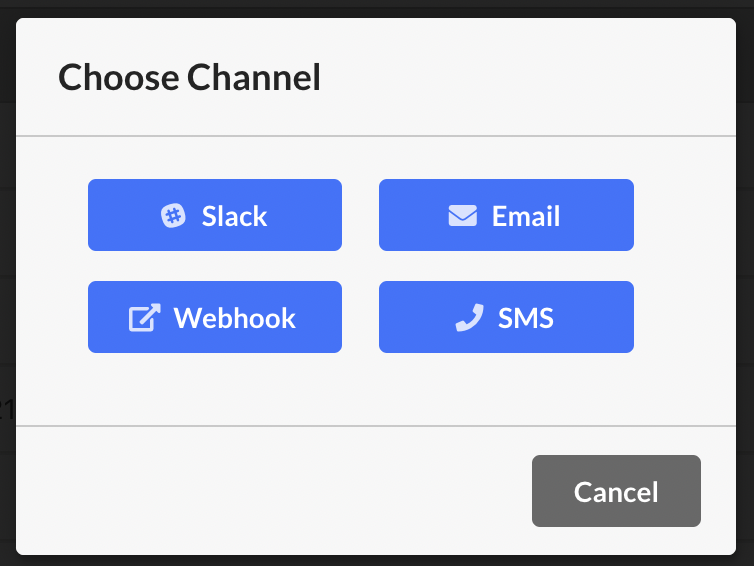 Stay informed with real-time alerts. Choose from SMS, Email, Slack, or Webhook notifications to ensure prompt and efficient updates on your device's performance and activities.
### **Sessions**
Stay informed with real-time alerts. Choose from SMS, Email, Slack, or Webhook notifications to ensure prompt and efficient updates on your device's performance and activities.
### **Sessions**
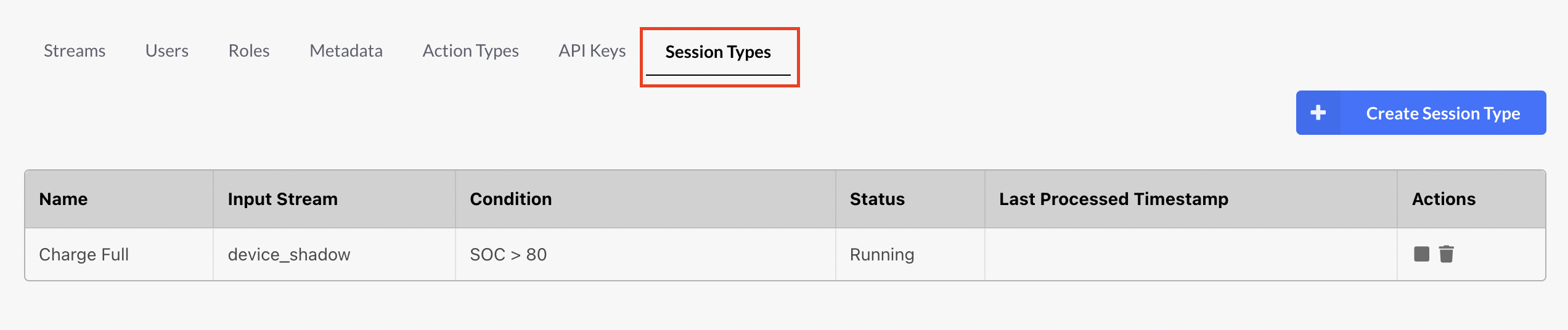 The platform's Sessions feature offers a structured representation of a device's operational states or modes. For example, in the context of vehicles, Sessions can distinguish whether a vehicle is in a "running" or "stopped" state. Utilizing conditions, users can precisely define the transitions into or out of a session. Additionally, Sessions augment the dashboard's visualization capabilities, enabling users to swiftly gauge a device's current state and review its historical session data, thereby enhancing overall operational oversight.
### **Compare Dashboards Feature**
The platform's Sessions feature offers a structured representation of a device's operational states or modes. For example, in the context of vehicles, Sessions can distinguish whether a vehicle is in a "running" or "stopped" state. Utilizing conditions, users can precisely define the transitions into or out of a session. Additionally, Sessions augment the dashboard's visualization capabilities, enabling users to swiftly gauge a device's current state and review its historical session data, thereby enhancing overall operational oversight.
### **Compare Dashboards Feature**
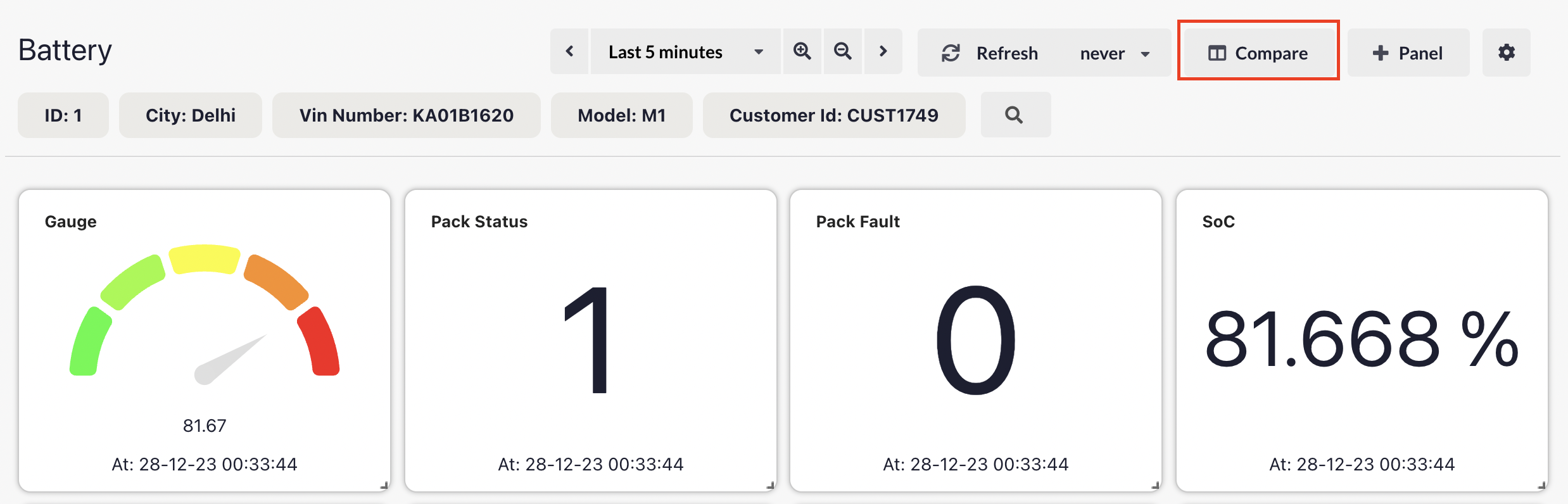
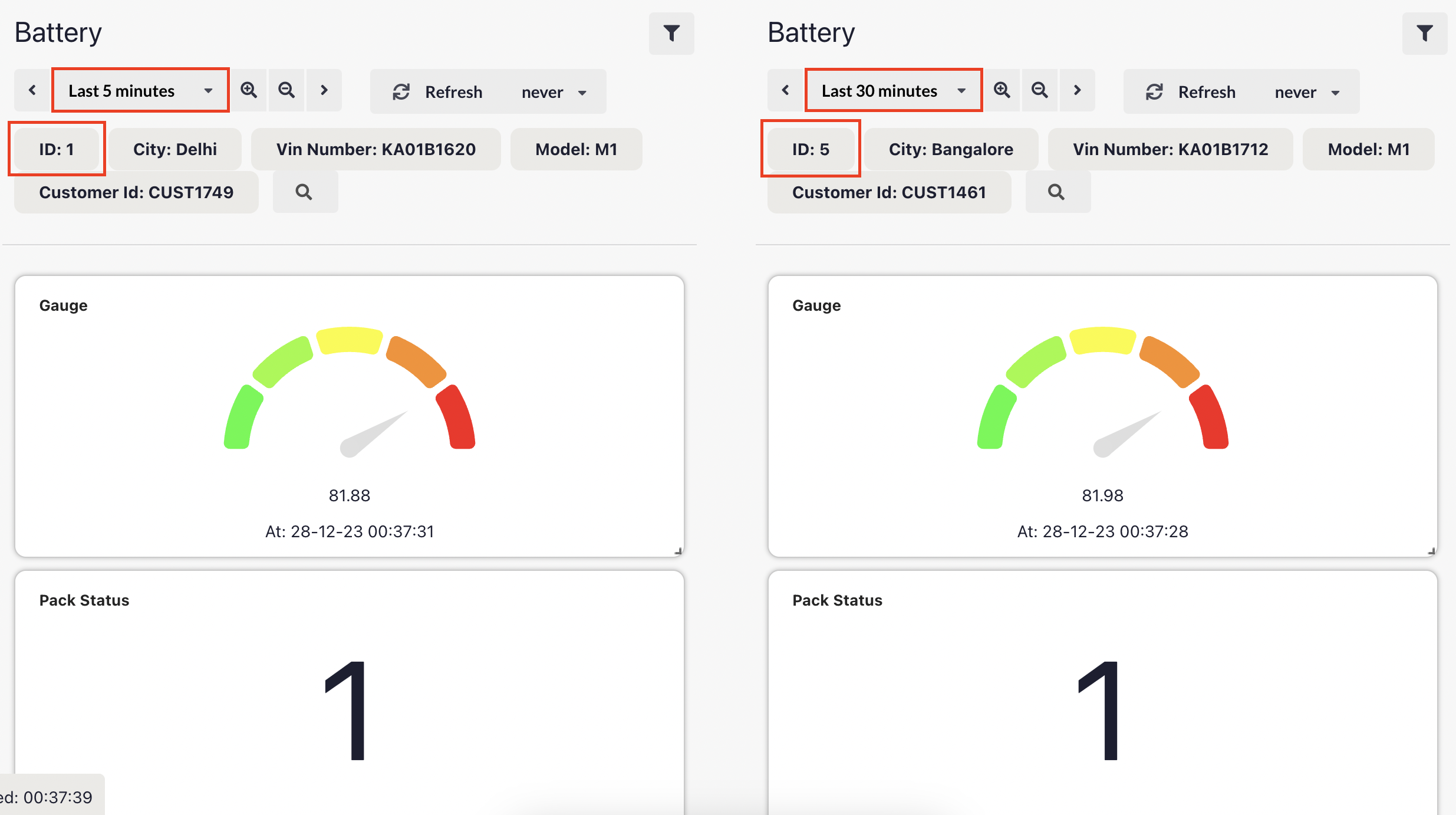 Introducing the 'Compare Dashboards' feature in our IoT platform, enabling users to view the same dashboard side-by-side for comprehensive data analysis. This enhancement allows for direct comparison of different devices or varied time ranges on a single screen, streamlining the process of monitoring and analyzing device performance and trends.
### **Add custom states in Led Panel**
Introducing the 'Compare Dashboards' feature in our IoT platform, enabling users to view the same dashboard side-by-side for comprehensive data analysis. This enhancement allows for direct comparison of different devices or varied time ranges on a single screen, streamlining the process of monitoring and analyzing device performance and trends.
### **Add custom states in Led Panel**
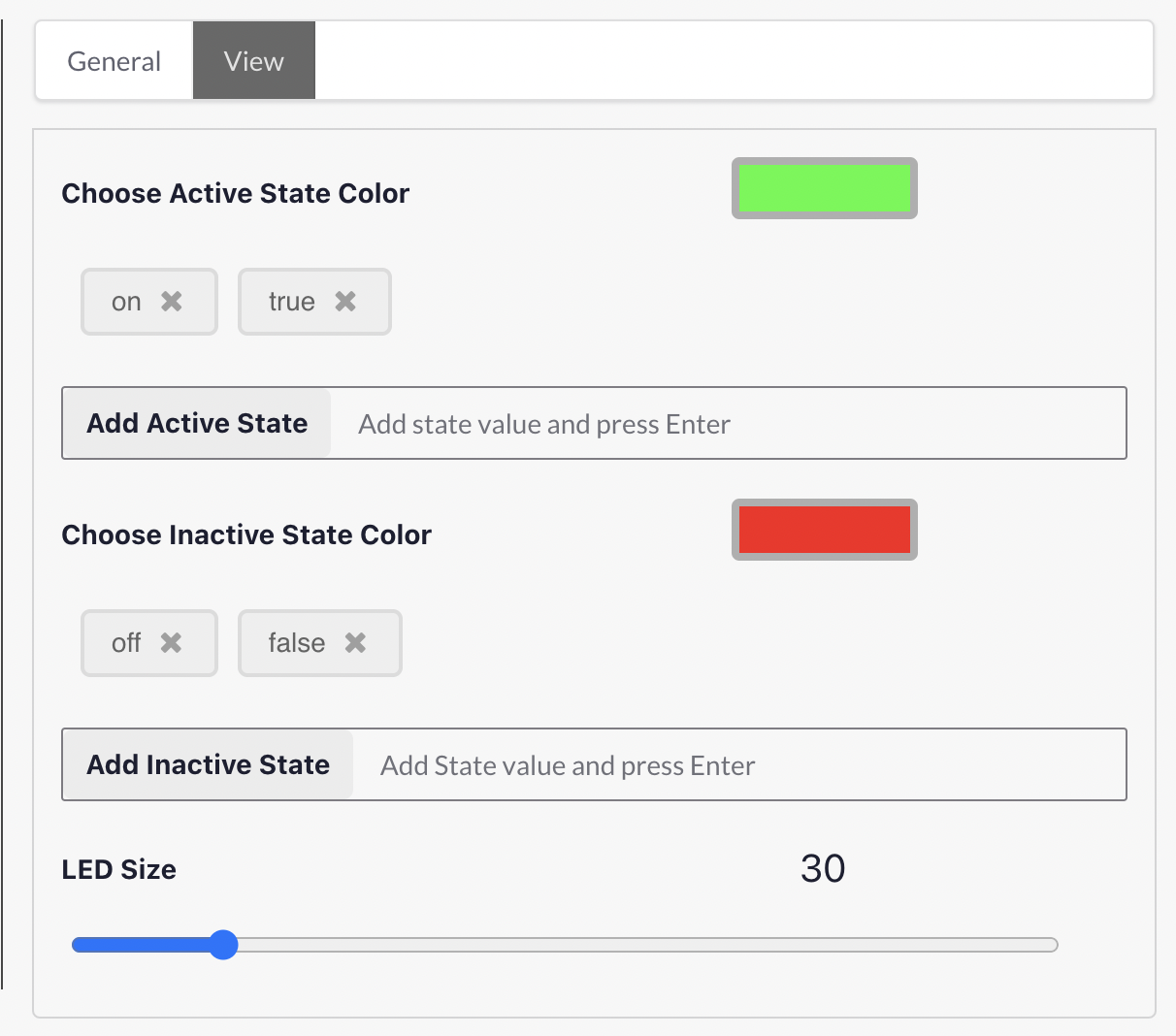 The latest update allows you to customize the LED panel on the dashboard, enabling the addition of distinct states for both active and inactive conditions. This enhancement brings a new level of personalization and clarity to device monitoring.
### **Ability to download panel data in CSV or XLSX format**
The latest update allows you to customize the LED panel on the dashboard, enabling the addition of distinct states for both active and inactive conditions. This enhancement brings a new level of personalization and clarity to device monitoring.
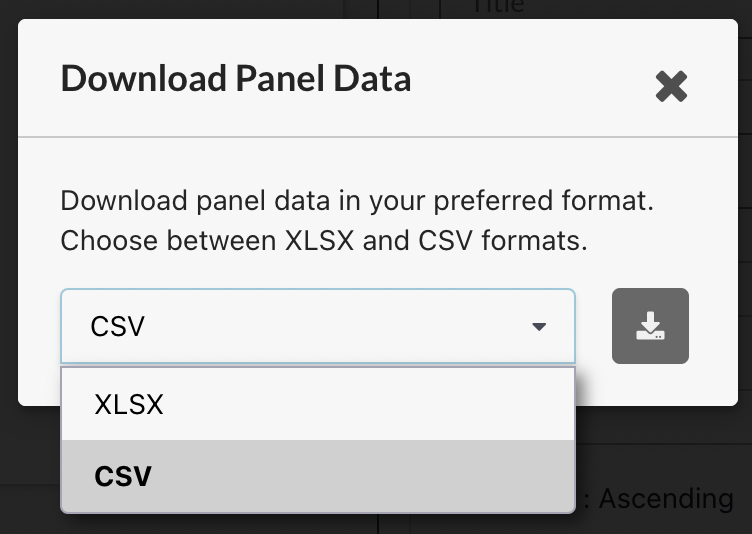
### **Ability to download panel data in CSV or XLSX format**
 ### Bug fixes & Minor changes
* Ability to reorder fields in LED and Last Value Panels for improved data visibility.
* Added support for Nullable type columns.
* Enhanced user experience with persisting filter selections in Logs panel.
* Improved visual clarity in line charts by allowing manual margin adjustments to address shrinking issues.
* Resolved an issue where 'Last Value' incorrectly displayed '0' as 'No data', ensuring accurate data representation.
### Bug fixes & Minor changes
* Ability to reorder fields in LED and Last Value Panels for improved data visibility.
* Added support for Nullable type columns.
* Enhanced user experience with persisting filter selections in Logs panel.
* Improved visual clarity in line charts by allowing manual margin adjustments to address shrinking issues.
* Resolved an issue where 'Last Value' incorrectly displayed '0' as 'No data', ensuring accurate data representation.