

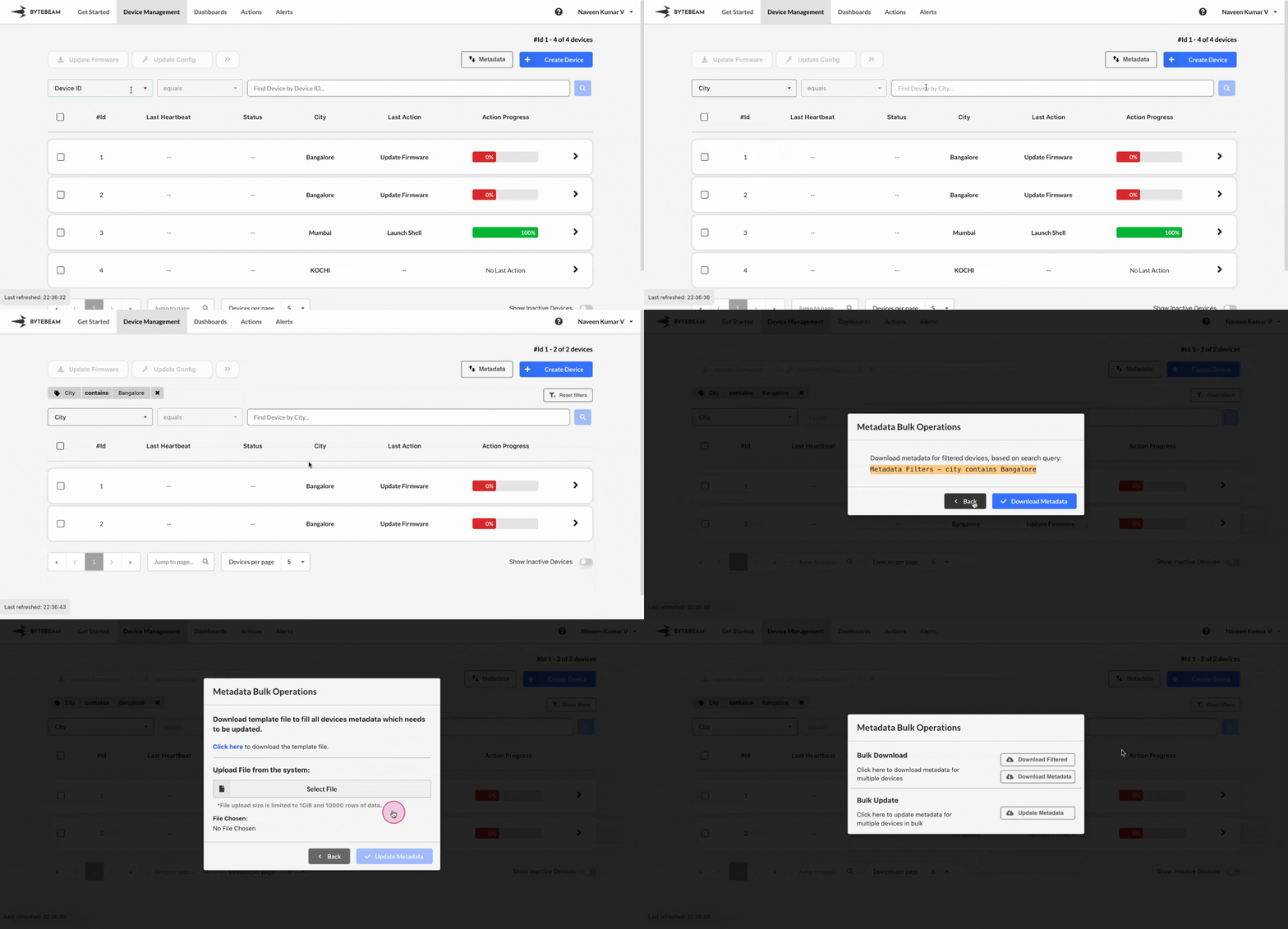
 You can download or update metadata for all devices in bulk using the Bytebeam console.
To download all device metadata in bulk:
You can download or update metadata for all devices in bulk using the Bytebeam console.
To download all device metadata in bulk:
1
Access Device Management Tab
Click on the Device Management tab at the top.
2
Open Metadata Option
Click on the Metadata option at the top.
3
Download All
Select Download All to download all device metadata as a CSV file.
1
Access Device Management Tab
Click on the Device Management tab at the top.
2
Apply Filters
- Click on the Filters option at the top.
- Use the dropdown to search for and select a metadata key (e.g., City) or device shadow column (e.g., Mode).
- Enter a value (e.g., Bangalore for City or 100 for Mode) and press Search or Enter.
3
Open Metadata Option
Click on the Metadata option at the top.
4
Download Filtered Metadata
Select Filter Download to download metadata for the filtered devices as a CSV file.
1
Access Device Management Tab
Click on the Device Management tab at the top.
2
Open Metadata Option
Click on the Metadata option at the top.
3
Download Update Template
Select Update and download the template by clicking on the “Click here” link.
4
Update Metadata
Fill out the downloaded CSV file with updated metadata values, then upload it and click on Update Metadata.
Important Info
Ensure the serial metadata key is included with unique values for each device when uploading the updated file if the serial key is set.