

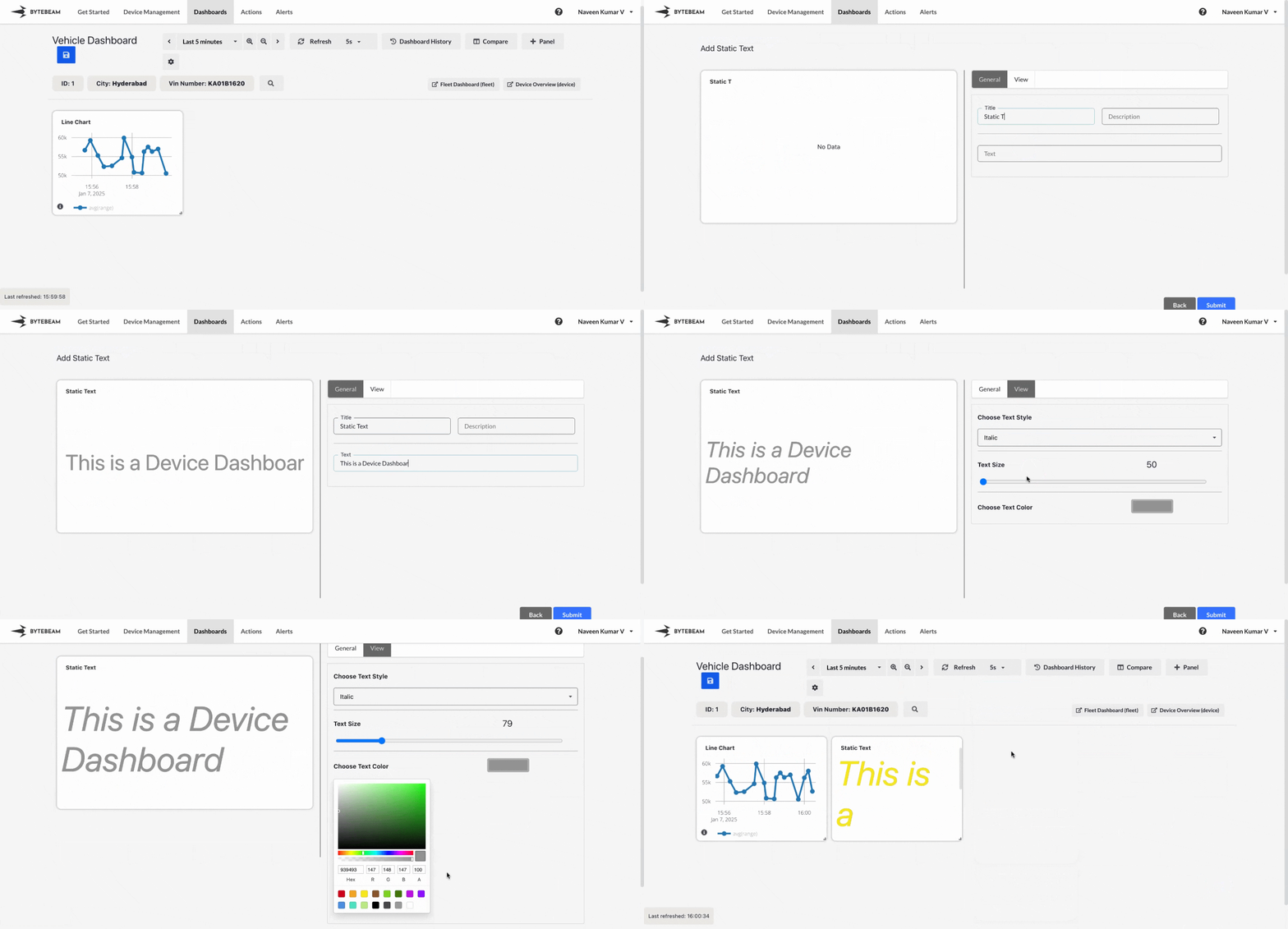
Add Static Text Panel
1
Navigate to Dashboards
Go to the Dashboards tab, select the desired dashboard, and click on the + Panel button to create a new panel.
2
Select Static Text Panel
Choose Static Text Panel from the list of available panels.
3
Enter Static Text
In the General tab:
- Add a Title: Provide a title for the panel (optional).
- Enter the Text: Type the static text you want to display on the panel.
4
Customize View Settings
Switch to the View tab to customize the appearance of the text:
- Text Style: Choose a text style (e.g., normal, bold, italic).
- Text Size: Adjust the font size to suit the layout.
- Text Color: Pick a color to make the text visually distinct.
5
Submit the Panel
Once all configurations and customizations are complete, click Submit to add the Static Text Panel to the dashboard.
The static text will now appear in the dashboard, helping to highlight or explain specific sections.
The static text will now appear in the dashboard, helping to highlight or explain specific sections.